 Stagehand
Guide
Chord display
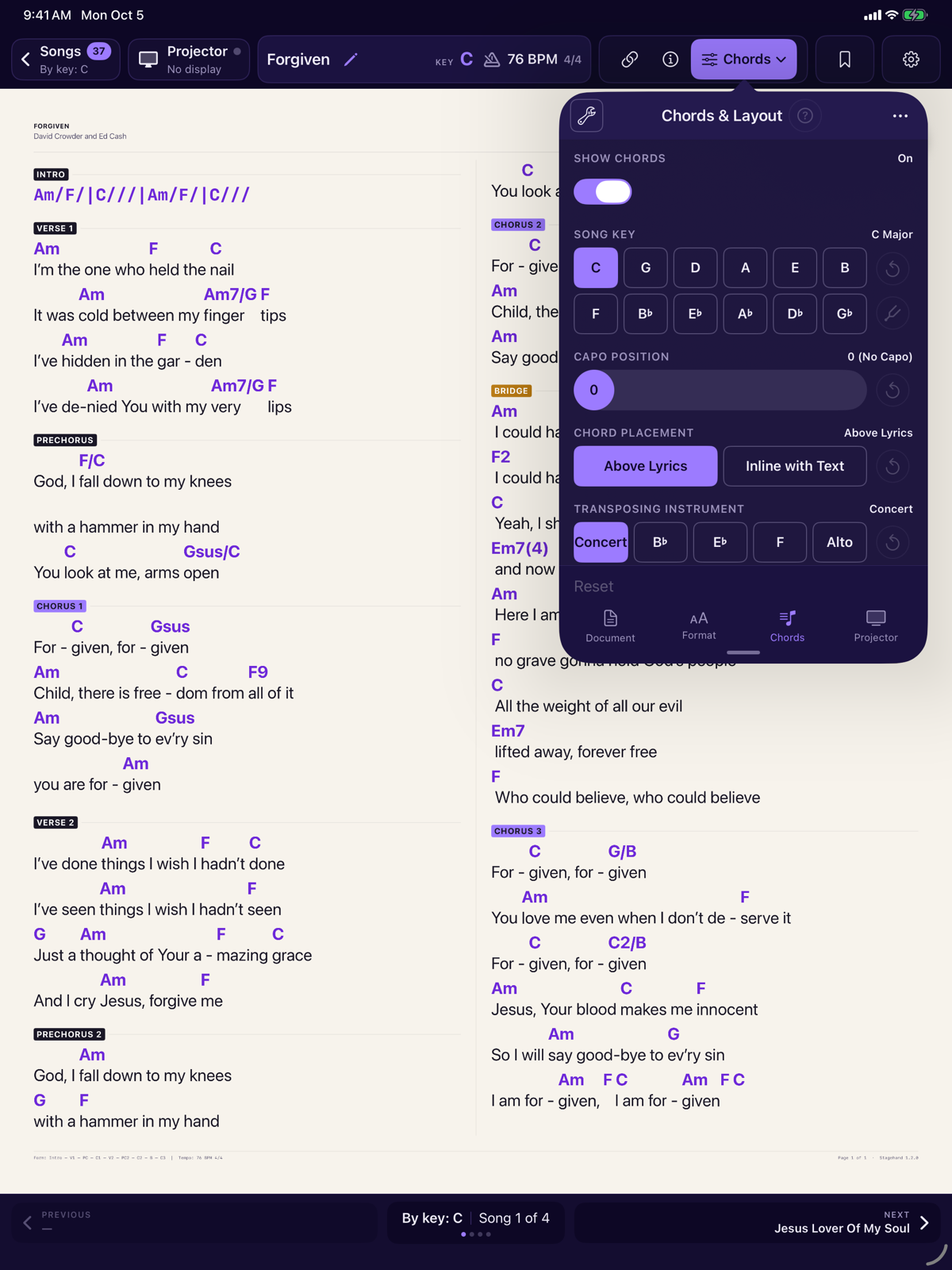
Open Chords in the menubar. The Chords tab is how the symbols are drawn. Key and capo are on that same tab and are explained in Key, capo and transpose.
Show chords
Show Chords sits at the top of the Chords tab and is on by default. It is one switch for the whole app. Turning it off draws lyrics only, on every song in every library. A line that was only chords disappears. A section that was only chords, such as an Intro or an Interlude, is dropped with its heading, so you are not left with a label over empty space. The empty chord row is not reserved, and the lyric lines sit closer together. Section labels on sections that still have words stay, and so do the header and the footer. The key chip stays, and you can still transpose: the key and the projector still use it. Turning the switch back on restores the chords without editing the file.
It is not a per-song setting, so it has no reset of its own, and Apply to all songs does not change it. Include Chords in a backup and the switch travels with it. A backup written by version 1.0, which has no such switch, still restores.
This song first
A change to placement, notation, instrument, split chord, typography or decoration is saved on the song you are reading, as soon as it differs from the default. A reset on that row is available once the song has its own value. Tap it to inherit the default again. It is not an on/off switch.
The three-dot menu copies format, document layout or projector settings to every song. It does not copy chord display. Set notation on each song that should differ, or move a chord-display setup to another device by including Chords in a backup. Key and capo are also per song. They are explained in Key, capo and transpose.
Chord placement
Chord Placement is Above Lyrics or Inline with Text. Above is the usual chart: the chord sits over the syllable it belongs to, including the middle of a word such as beloved. Inline draws the symbol in the lyric line.
A bracket may hold several chords. [F Am Gsus G] draws each one. A chord written after spaces sits after them. Chords never run into each other: a wide chord such as Am7/G pushes the next word along.
Spaces in a chord-only line are kept. An intro written as spaced chords stays spaced, and that line does not word-wrap.
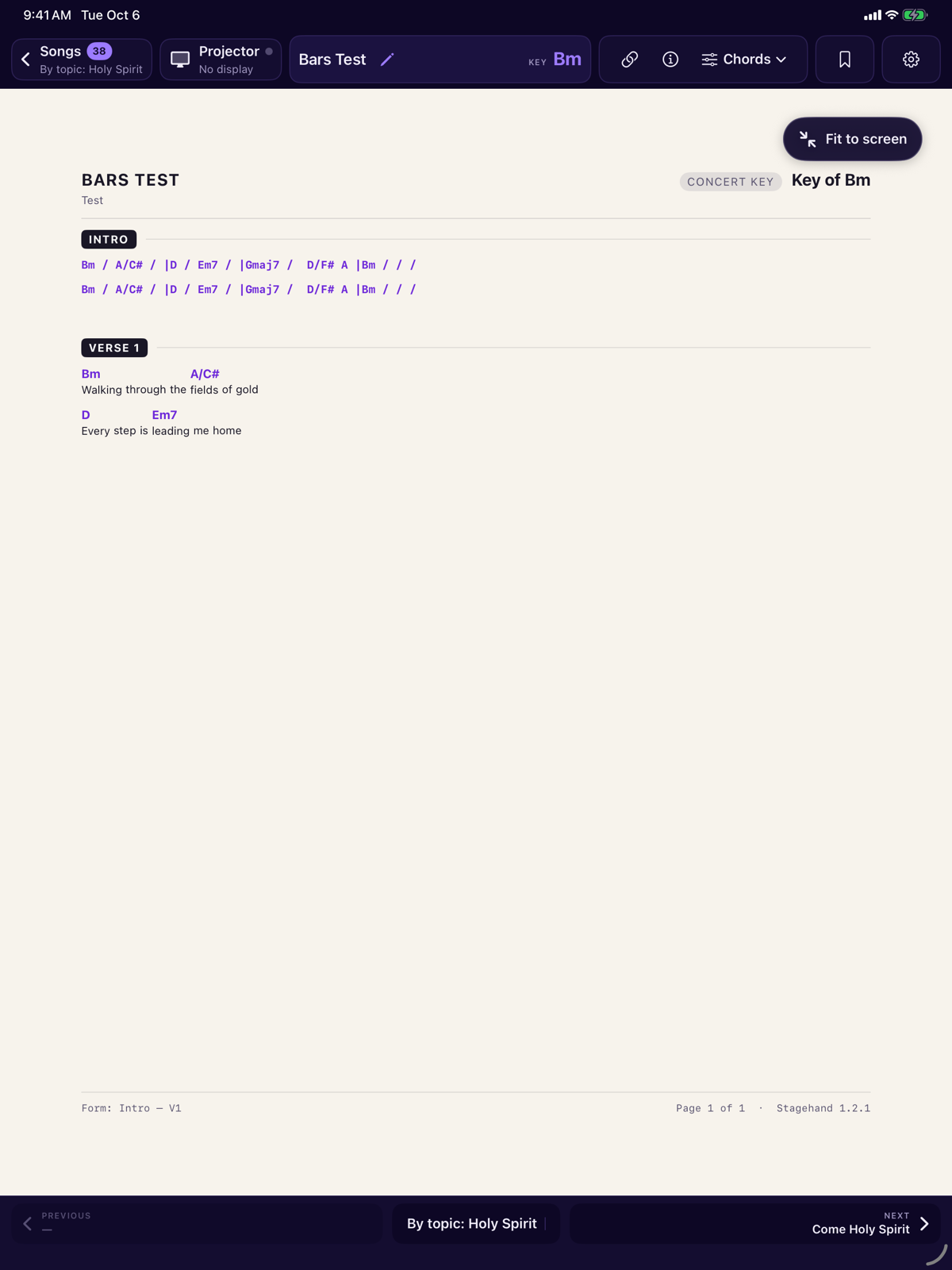
A bracket can be a bar pattern. A / with spaces around it is a beat of the chord before it, and | ends one bar and starts the next. A bar line may touch a chord. The line is drawn in the order and with the spacing it was written, and the chords still transpose.
Notation style
Style is one of four systems.
| Style | What a G chord becomes in the key of G | Moves with capo? |
|---|---|---|
| Alpha | G, C, D, Em — letter names | Yes. These are the pitches you play. |
| Solfege | Fixed do. Another way to name the same pitches. Do is C, not the tonic. | Yes, same as Alpha. |
| Numeric | 1, 4, 5, 6m — degrees of the major scale of the tonic. A minor reads 1m, ♭3, 4m, ♭6, ♭7. | No. A degree does not change with the fret or the target key. |
| Roman | I, IV, V, vi. Quality is in the case. A diminished chord takes the degree sign. | No, same as Numeric. |
Nashville numbers and Roman numerals ignore the target key, the capo and the transposing instrument. Use them when you want the function of the chord. Use Alpha or Solfege when you want the shape or the pitch.
Transposing instrument
Transposing Instrument rewrites Alpha and Solfege into the key the instrument reads, and leaves the sounding performance alone.
| Control | Written pitch compared with concert |
|---|---|
| Concert | No change. Concert C stays C. |
| B♭ | A tone above concert. Concert C is written D. |
| E♭ | A major sixth above concert, spelled from the written key. An E♭ instrument on a concert-C chart is spelled in A, not in B♭♭. |
| F | A perfect fifth above concert. |
| Alto | A perfect fourth above concert. The button is labelled Alto. |
The chart header names the instrument when it is not concert. Numeric and Roman are unchanged, because they are degrees.
Split chord
Split Chord controls a slash chord such as G/B.
- Both shows the chord and the bass note.
- Bass Only shows the bass note.
- Chord Only shows the chord and hides the bass note.
A slash is a bass note only when a note name follows it. C6/9 keeps 6/9 as part of the chord name. G/B is a G with a B bass.
Typography and decoration
Typography is five switches you can combine. They change how the symbol is drawn. Turning one off restores the original text. The labels on the switches are short; these are the names:
- xⁿ — superscript suffix, such as a raised sus4.
- ♯♭ — musical sharp and flat signs instead of
#andb. - −°+Δ — minus, degree, plus and triangle for minor, diminished, augmented and major seventh.
- am — minor chords with a lowercase root.
- /b — a smaller bass note.
Decoration draws brackets around each chord: none, [ ], ( ), < > or { }. Brackets in the file, around a chord in the ChordPro source, are the file format. Decoration is only how the reader draws the symbol.
PDF charts
A PDF is a picture of a page. The Chords and Format tabs stay visible and are disabled, with an explanation. They are not hidden, and they do not pretend to transpose the PDF.