 Stagehand
Guide
Getting started
Stagehand opens on a chart, not on a home screen. The library is one tap away when you need another song.
Install
- On an iPhone or iPad running iOS 18.6 or later, open the App Store listing.
- Get Stagehand — Chord Charts. The app is free.
- Open it. There is no account to create.
A short splash shows once each time the app launches from cold. It is not a screen you set up.
The first screen
After the splash, you are on the song view. With an empty library there is nothing to read yet. The top bar is the menubar. On the left, Songs shows how many charts are in the current library.
Charts live in files on this device, under a library folder. Stagehand keeps a list of those files so search and sets stay fast. The file is the chart. The list is only an index.
Open the library
- Tap Songs at the top left.
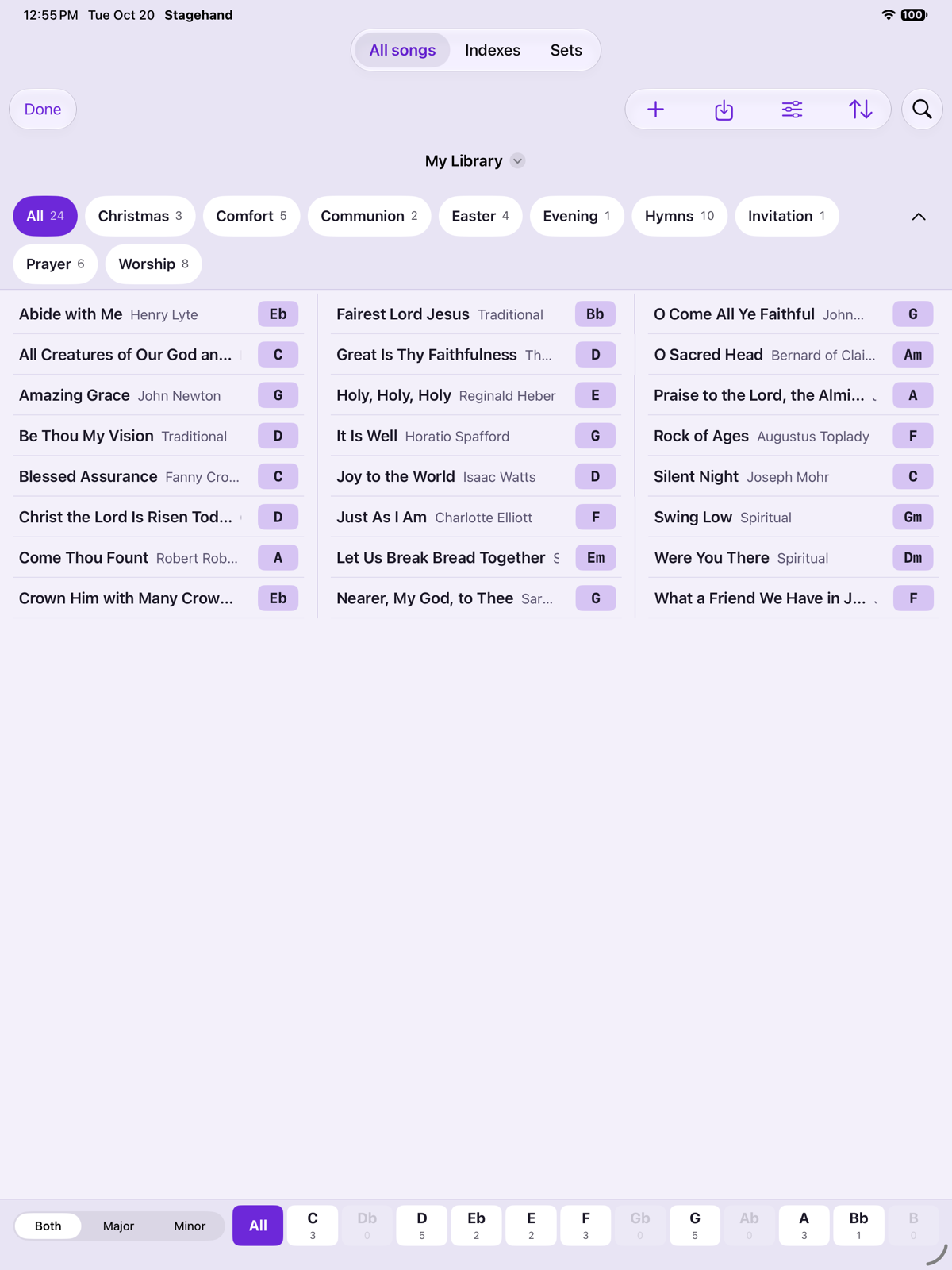
- The library covers the screen. It has three tabs: All songs, Indexes and Sets.
- Stay on All songs for the first chart. Topics sit along the top and keys along the bottom. Indexes and sets are how you walk a list later.
The title at the top is the library name. Tap it to switch, create, rename or delete a library. A new install has one library. You cannot delete the last one. Libraries covers that menu, and the keys and topics on All songs.
Your first chart
On an empty All songs list you get one action, Add Songs, which opens a sheet with these choices among others:
- Create New Song opens the editor with a blank chart. Fill in title, artist, key and topics if you want, write the chart, then tap Save. Editing a chart and Chart files show the text format.
- Files (under Locations) opens the document picker. Choose ChordPro, OnSong, plain text or PDF files, or a folder of them. You review conflicts before anything is replaced. Importing is the full path.
You can also AirDrop a chart onto the device, or use the share sheet’s Open In. Stagehand stages that file and asks before it writes over a chart with the same name.
Help is in the app
Every panel has a ? beside its title. Tap it and the panel explains itself: what each control does and how to use it. Tap the arrow at the left to go back. This guide covers the same ground in order.
Back to the chart
- Tap a song in the list. It becomes the chart on screen.
- Tap Done to leave the library. The song stays open.
- The next time you launch, Stagehand opens the last song you viewed, in the library you left active.