 Stagehand
Guide
Key, capo and transpose
Three different facts. Most chart apps fold them into one number. Stagehand does not, because a capo does not change the key the room hears.
Three settings
| Name | Meaning | Example |
|---|---|---|
| Original key | The key the file was written in. | The chart says G. |
| Target key | The key the song now sounds in. | You are singing it in A. |
| Capo | Which shapes you finger. The sounding key does not move. | Capo 2, still sounding in A, fingering G. |
G · capo 3 · playing E. You should not have to open a menu to learn what key you are in.
Open Chords in the menubar. Key, capo and Keep me in this key are on the Chords tab. There is no separate key popover.
Where to change them
- Tap Chords.
- Under Song Key, tap the key you want to sound. The caption shows the full name, such as G Major.
- Under Capo Position, drag the slider. It runs from 0, labelled 0 (No Capo), through the 7th fret. The caption reads the fret, such as 3rd fret.
- The chart redraws immediately. The KEY chip in the menubar updates to the key being played.
A reset beside Song Key and beside Capo puts that control back. Capo reset returns to no capo.
Mode is kept. A song in A minor, moved to C, becomes C minor. The chips follow the mode of the song you are viewing.
How to read the screen
- The KEY chip is the key being played, after transpose and capo.
- The chart header shows a concert-key pill, or the instrument name when a transposing instrument is on, and the key you selected. That is not always the
{key:}written in the file. - Chords on the lyric are the fingered shapes when a capo is on.
Numeric and Roman notation are the exception. They name the scale degree, so they do not change when you change capo, target key or transposing instrument. A song in G still reads 1, 4, 5. That is covered in Chord display.
The key picker
Two rows of six. The top row is the sharp side of the circle of fifths. The bottom row is the flat side. Neighbours are a fifth apart.
C   G   D   A   E   B
F   B♭  E♭  A♭  D♭  G♭
C♯ and D♭ are not the same chip. Picking one chooses a spelling, not only a pitch. Sharp keys spell sharps. Flat keys spell flats. The app never prints C♭, F♭, E♯ or B♯ on a chart. Those are rewritten to the note a player expects to read on a stand.
Accidentals on the same tab chooses the spelling when you want to override the key:
- Follow key is the default.
- Sharps spells every accidental sharp.
- Flats spells every accidental flat.
The same rule applies to a slash bass. D/F♯ does not become D/G♭.
When the key was guessed
Many files have no key line. Stagehand guesses from the last chord, which is often the tonic. The Chords tab then shows Set original key, with the line Guessed … from the last chord.
- If the guess is right, tap Set original key. That writes a key into the file.
- If the guess is wrong — the chart ends on the IV or the V, for example — pick the real original key first, then set it.
Until you confirm it, treat the key as a guess.
Keep me in this key
On the Chords tab, Keep me in this key is for a singer working through a list. When it is on, jumping to another song — from All songs, from Indexes, from the footer, or from a set — opens that song in the key currently on screen. The menubar reads Key held.
The default is the relative key. Hold G major and open a minor song: it plays in E minor. Hold E minor and open a major song: G major. Hold C minor and open a major song: E-flat major. Same note is the older rule, still on the same tab: hold G and a minor song plays in G minor.
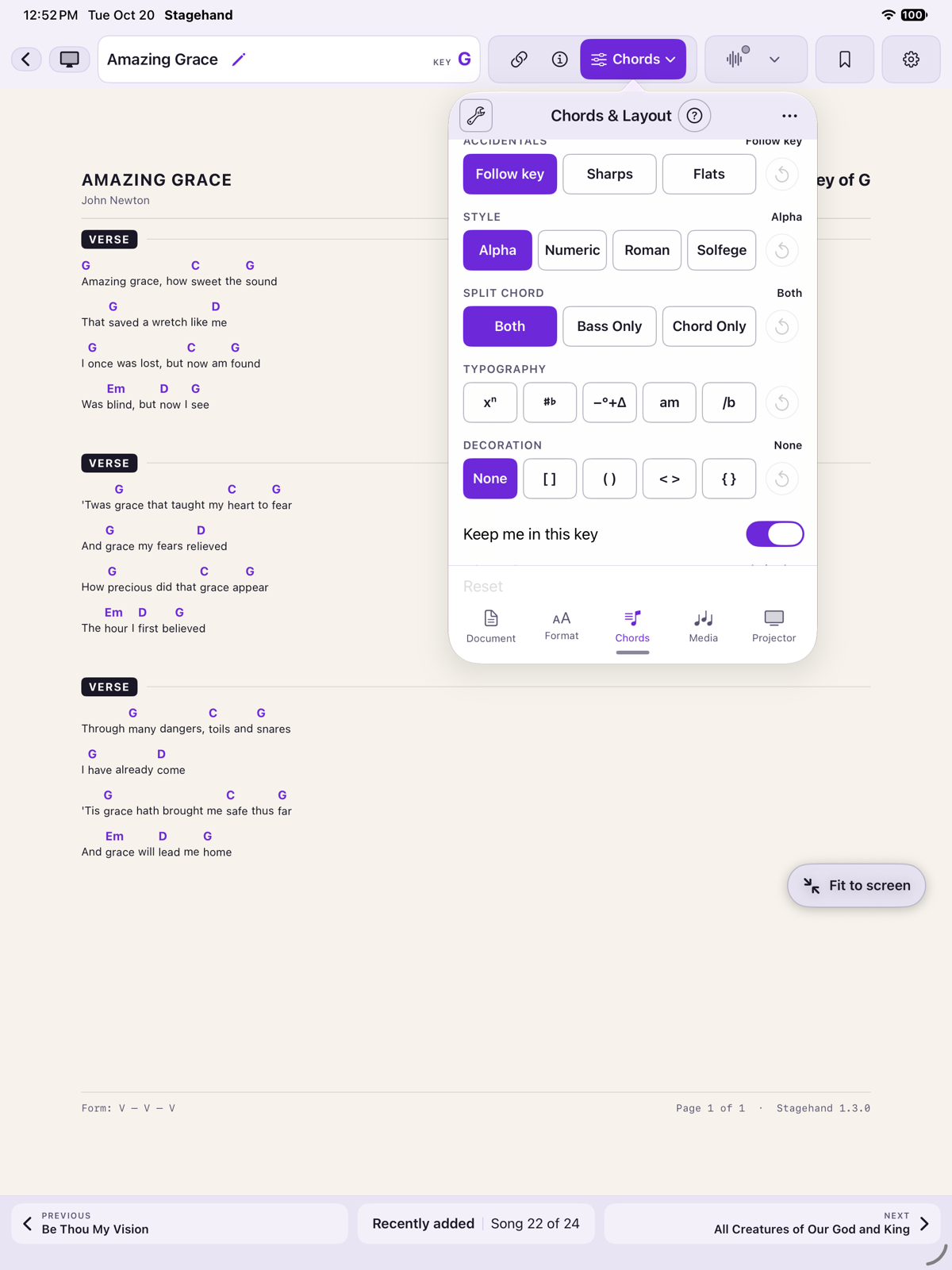
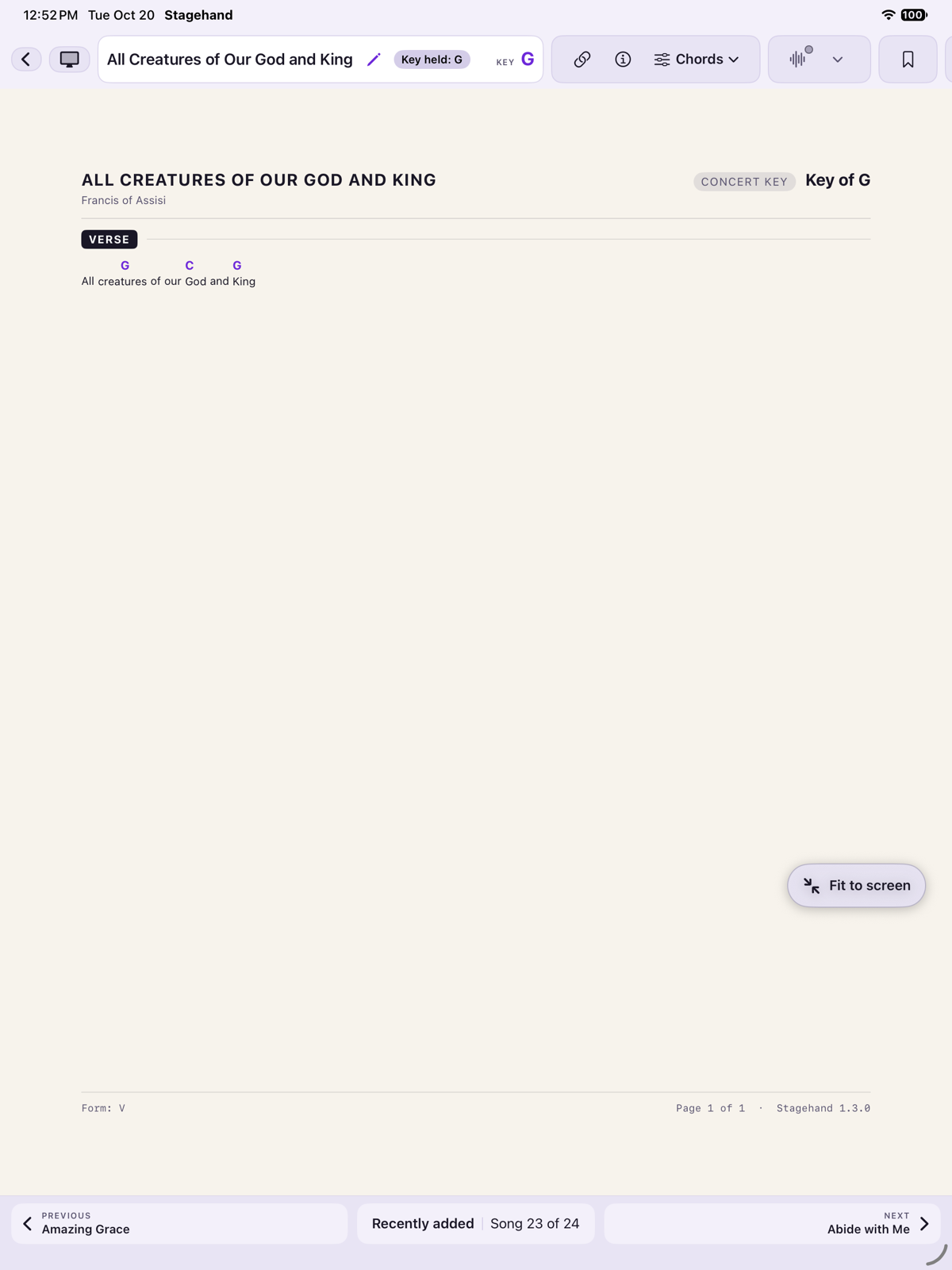
The held key lasts for this viewing session. It is not saved on the song. A set entry that already has its own key asks once whether to keep the held key, use the set’s key, or keep the held key for the rest of the set.
What is written into the file
Original key, title, artist and topics can be written into the chart file. Target key, capo, zoom and formatting are yours. They stay on the device and are not pushed into the file, so handing someone the .cho does not impose your capo.
A PDF cannot be transposed. The Chords tab explains that and the controls are disabled. You can still store a key on the PDF for the by-key index. That key does not rewrite the page.